

4 Options Trades. 2 Stocks. 3 Weeks. The Results Surprised Us.
At Barchart, we like to test our toolkit to see if it’s actually working properly - and, more importantly, if it’s giving our users what they need: high probability trades.
So, I did just that. A few weeks ago, I wanted to test our Options Screener on Barchart Premium to see how well it worked for our new accounts on a free trial.
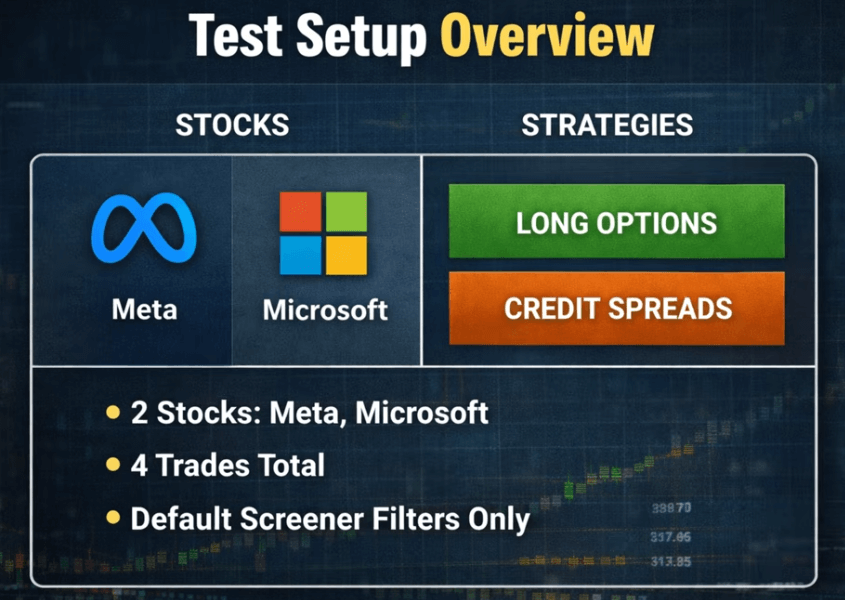
I used the default filters for four of the most popular option strategies today on two of the most popular companies right now, Meta and Microsoft. Four trades, two different outlooks, and well, the results couldn’t have been better. Actually, I think they’ll surprise you.
That’s why I’ll show you exactly how these trades were set up, and what happened after the market made its move.
Ground Rules
Now, before we jump into the actual options strategies, let me quickly frame how to think about these examples.
For each stock, I’m going to express the directional opinion in two different ways.
One trade is more speculative, with higher upside but higher risk - using a long option.
The other is more risk-defined, where you collect premiums and don’t need a huge move to win. For that, I’ll use credit spreads.
With long options, the stock needs to make a strong upward or downward move to overcome time decay.
With spreads, you are not looking for a big move. You just need the stock to stay on the right side of your short strike price.
Then there’s the expiration date. Generally, I prefer trades with more than 30 days to expiration, so that’s the range I’ll focus on here. I also want to point out that I chose the two stocks precisely because they’re releasing earnings before the options expire.
And finally, I wasn’t expecting to hold these positions to expiration. I want to see how these trades behave after a major move, with time still left on the clock.
Same direction, different tools, very different risk and reward profiles.
Now, let’s get into the trades, starting with Meta.
Meta
At the end of October last year, Meta’s stock price dropped from around $750 to below $600 after it released its third-quarter financials.
Many point to “excessive” capex and a miss of expectations, and since then, the stock has traded below $680.
In early January, Meta's stock traded around $643. If you were bullish on the stock, you could have bought a call or sold a bull put.
Long Call
The goal of a long call is to profit from a stock rising above the strike price by expiration. If you’re wondering how it works, we made a video breaking it down.
In any case, let’s have a look at the long call screener. Now, at the time of this writing, I changed the expiration date to February 13, 32 days away at the time, and the results came in with the suggested trades at different strike prices.
Again, this is speculative, but let’s say you bought the $665 strike for $21.35 per share, thinking that Meta will exceed $665 before the expiration date.

Of course, since this is an out-of-the-money call, the strike price is above the stock price, and it has around a 28% chance of a profit. And that’s pretty normal for an out-of-the-money call.
Bull Put
On the other hand, maybe you want to sell a put instead. Selling a put means being short, potentially being obligated to buy 100 of the underlying. And, maybe you don’t want to obligate yourself to that, so you could sell bull put credit spread instead. It’s an options strategy where you collect premium by selling a put and buying a similar one, but with a lower strike put. The long put sets a floor for the trade, limiting your risk.
Bull put trades can be found on the vertical spreads page, in the Bull Put tab.
Now, bull puts are often much more risk-averse than out-of-the-money long calls. Let’s say that you chose a 600 - 560 spread here and collected a $7.50 premium. This trade has around a 25% chance of ending at a loss.

As long as the stock trades above $600 by the expiration date or when you close the trade, you get the full premium with no other obligation.
So, for both strategies, you want the stock to move above a specific strike price.
For the long call, the higher the stock price, the higher the potential profit.
For the bull put, as long as the stock price trades above your 600 short strike, you make money. Actually, if you want to know more about credit spreads, we also made a video about it.
Fast Forward
So let’s jump forward by three weeks to see how our trades are doing.
Well, from the date of recording, Meta is now trading at $691.
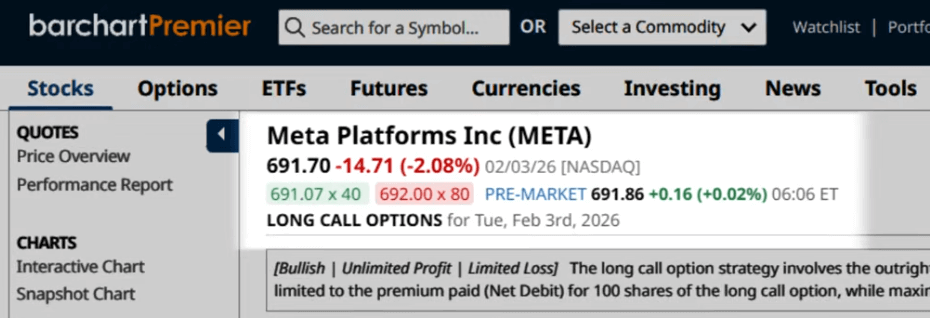
The stock rallied following Meta’s release of its fourth-quarter and full-year 2025 financial results. Both top and bottom lines exceeded Wall Street estimates.
So, let’s see how much your long call and bull put trades are worth now.
Your 665-strike long call is now in the money. Remember, you bought it for $21.35, and now it’s worth $33.
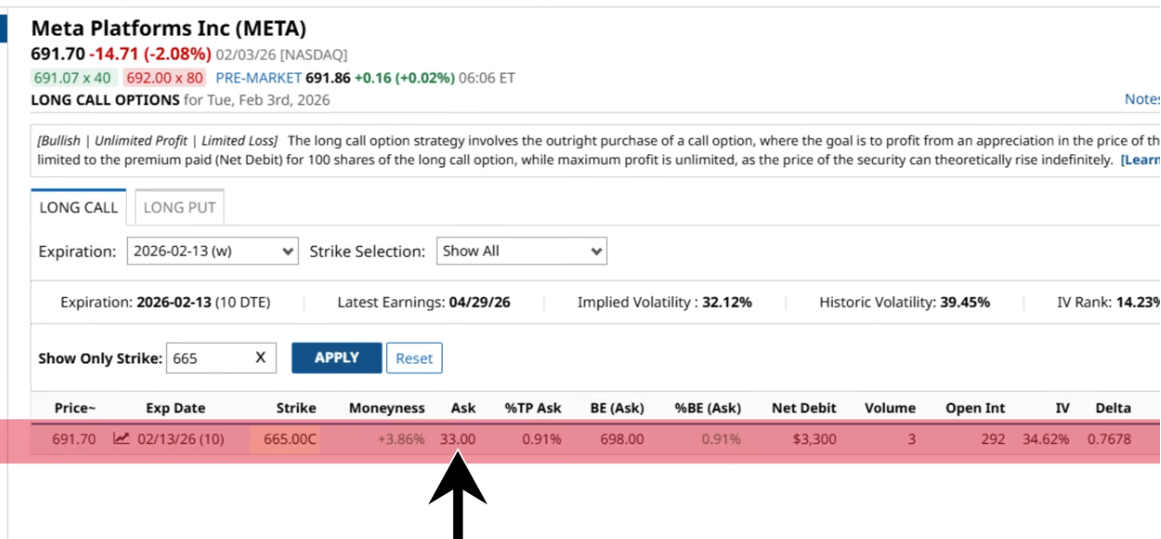
That means you can sell the contract and make a profit of $1,165 per contract. Of course, you still have 10 days before the expiration date. You can either sell the contract now or wait to see if the stock rises over the next 10 days.
Just remember, though, options lose value faster the closer they are to their expiration date. I think it comes down to experience, but I’d imagine most of us would book the profit at this point.
Now, for your bull put.
Your 600-560 spread doesn’t show up anymore on our default screener, and the spread is essentially worthless. That’s the best possible outcome.
Now, you have two options here: you can buy-to-close the trade for practically nothing to wipe away any possible risk of assignment, or just wait until expiration.
Either way, as long as Meta stock doesn’t drop below $600, you get to keep your initial premium. And again, the more experienced traders I know will have closed this out at around 80% of their maximum profit. That means closing when the premium dropped to around $1.50.
Plus, this wasn’t even the trade with the lowest probability of loss. All the trades you see here would have resulted in gains.
Microsoft
But let’s switch gears for a moment with another stock. Microsoft’s been doing quite well this past year, but maybe you think a correction is coming.
Back in early January, Microsoft was trading at $477.
So, you decide to either buy a put or sell a bear call spread, both of which are bearish trades.
Long Put
A long put is an options strategy where you buy a put option to profit from a stock falling below the strike price. Many traders use this to protect a pre-existing position.
You can access the default long put screener in the same place as the long call; just switch tabs. Then, let’s say you bought a 460-strike put on Microsoft for $8.95 per share, or $895 per contract, with the same expiration date of February 13. Again, it’s out of the money, and the profit probability is at 26%.

Bear Call
At the same time, a bear call spread is a strategy in which you collect premium by selling a call and buying a higher-strike call with the same underlying and expiration. The goal is for the stock to trade below the short strike at expiration.
So, let’s take, for instance, this 500-515 call spread, and you’d get $3.45 per share or $345 per contract. It has a lower risk/reward ratio than most of the results here. And the trade has a 27% chance of ending in the red.

The point is, for both strategies, you want the stock to trade lower.
For the long put, the further the stock price falls below your strike, the higher the potential profit.
For the bear call, as long as the stock price stays below your short strike, you make a profit.
Fast Forward
Fast-forward to today, three weeks after the initial screening date, and Microsoft is trading around $411 a few days after its fourth-quarter financial results.
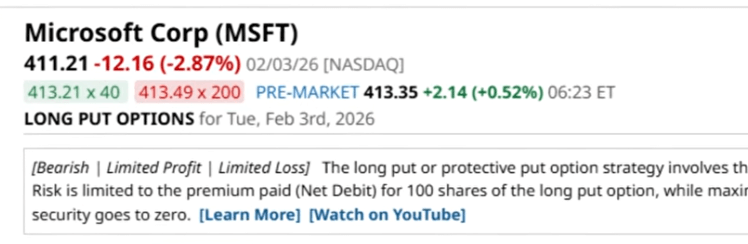
Like with Meta in the previous quarter, analysts are worried about how much the company is spending on AI and if it will actually make sense down the line.
So, let’s check the long puts.
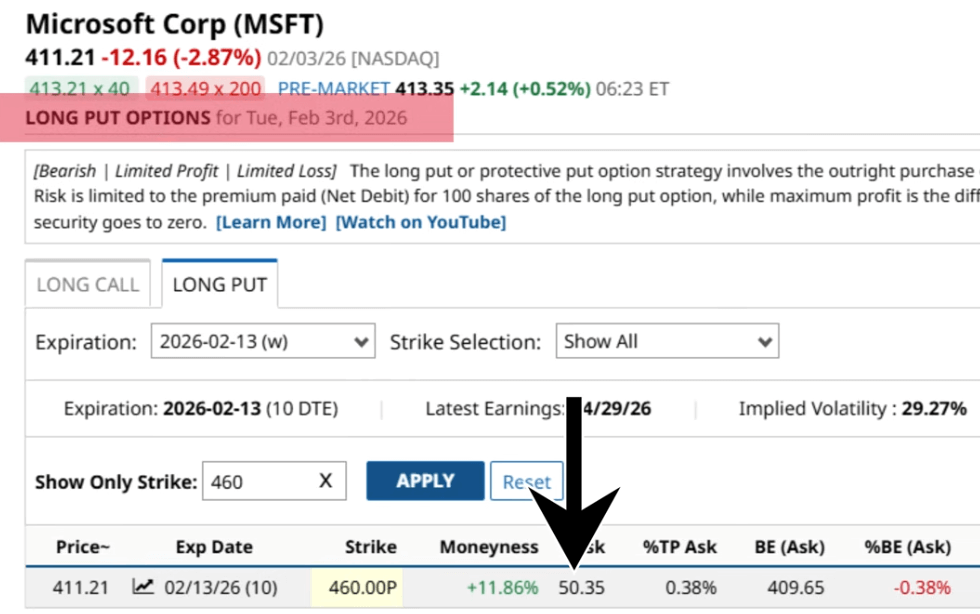
Your 460-strike long put, the one you paid roughly $900 for?
It’s now worth $50.35 per share, or $5,035 per contract. That’s $4,000 in profit, right there.
And that bear call? It’s so far out of the money that it doesn’t even show up on the screener. That means it’s practically worthless.
And again, you can either buy-to-close that trade or just let it be. Either way, that premium is mostly or fully yours, as long as Microsoft doesn’t shoot above $500 in the next 10 days.
Custom Filtering
What you’ve seen so far is just the bare bones of our Premium Option Screener. Using the Screen and Set Filters functions, you can further customize your trade to your exacting preferences.
We actually have a lot of videos on our YouTube channel that’ll show you how to customize your trades for different option strategies and market outlooks. We also have our ultimate cash-secured put screener, which you can watch right here. Iit’s actually a really good deep dive on the subject, especially if you want to get paid to wait to potentially buy a stock.
But at the end of the day, with Barchart, you’re letting the data do all your heavy lifting.
So if you want, sign up for Barchart Premium on a 30-day free trial.
Conclusion
I just want to make this clear: screeners are tools. Powerful tools, yes, but accuracy is never guaranteed. Markets can move wildly, and even with millions of data points used to show all the metrics you see on Barchart’s option screener, a single unexpected piece of news can change the planned trading outcome.
So, always treat screeners as a starting point, not a final decision. Use them to narrow the field, then layer in your own research, risk management, and common sense before putting real capital on the line.